Put a streetcar in the exhibit
Trolleymen recreates Pittsburgh's streetcars as they ran in the 1970s and 1993. The same simulator can recreate your town, or a town of your period, with its own line, its own cars and its own landmarks, and put a visitor at the controls in a cab with real pedals and buttons across three screens. New towns come together quickly.
Start a conversation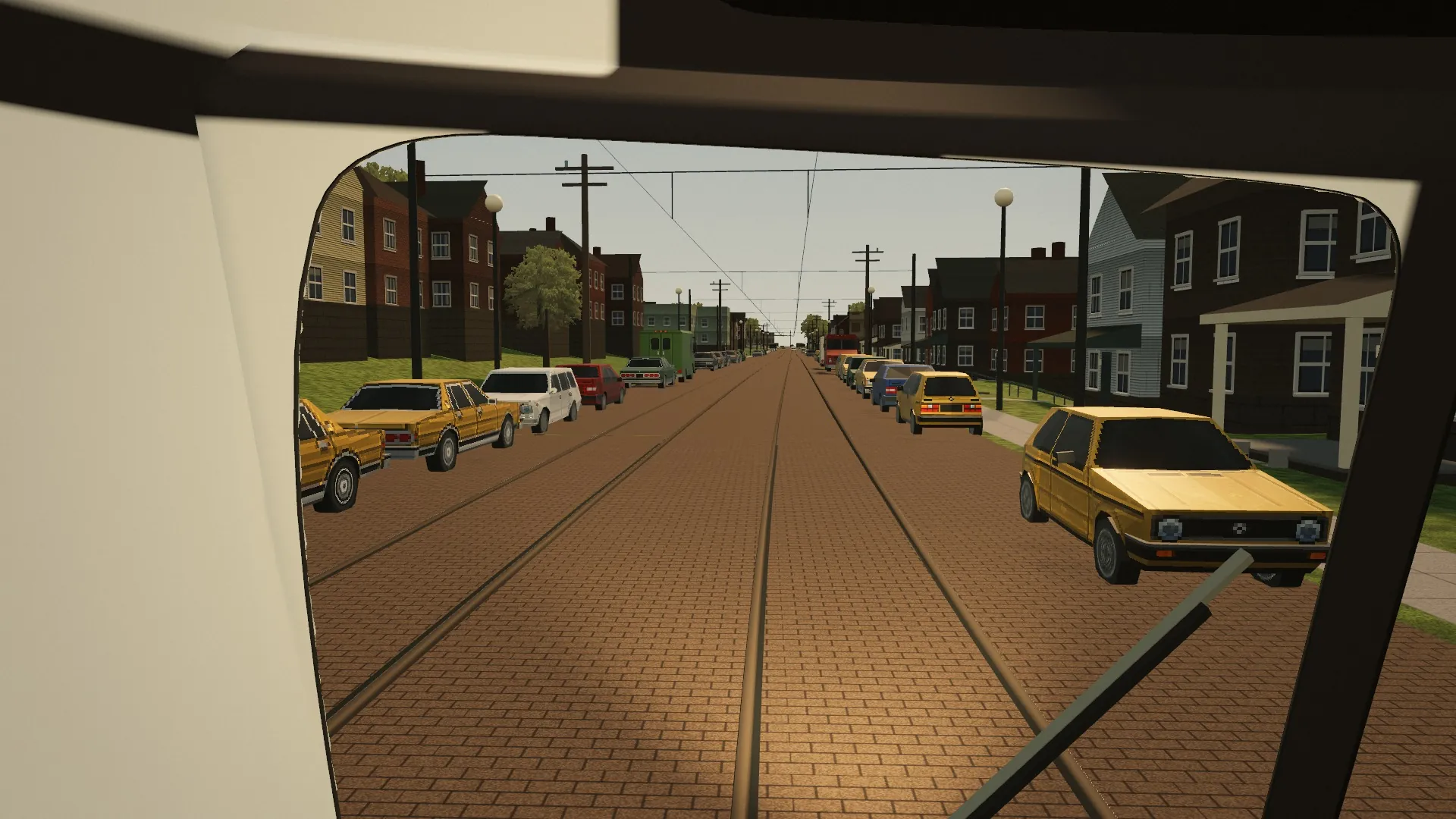
Recreate your town or your era
Every streetcar line has a story a visitor can drive. The Pittsburgh in the game was built from open map data, survey elevation, aerial photographs, timetables and the memories of people who rode and ran the cars. The same method works for any line.
New towns, built quickly
A new line does not start from a blank page. The engine reads a town's streets from OpenStreetMap and its ground from U.S. Geological Survey elevation, lays the route from your track maps and puts cars on it, so a first drivable version of a new town comes together quickly. The Boston, San Francisco and Toronto previews on the home page were started exactly this way. The landmarks, the paint and the stories are added from there, and every stage can be driven and checked with you as it goes.
A real place
Your line as it ran, in the year you choose: the track and its stops where they were, the grades and the speed limits, the stores, churches and stations along the way, and the cars in the paint they wore. Streets that survive come from OpenStreetMap and the ground from U.S. Geological Survey elevation. What has gone is rebuilt from track maps, fire insurance maps, photographs and timetables.
A town of a period
If the line is long gone, or the museum tells a regional story, the town can be a composite: real kinds of streets, buildings and cars of a period, arranged into a place that never quite existed, with a route a visitor can learn in a few minutes. It is labeled as a composite so no one mistakes it for a map.
The cars
The game already has the PCC car in its common forms, an older Jones car, and the Siemens SD-400 light rail car, each able to wear any livery drawn from photographs. Another type of car, a double-truck wooden car or an interurban, would be a new model.
Work order
| Part | What the society brings | What gets built |
|---|---|---|
| The line | Track maps, route lists, timetables, the stops and their names | The route with its stops, curves, grades, switches and speed limits |
| The town | Photographs of the streets, fire insurance maps, a list of landmarks | Streets, buildings and landmarks along the line, modeled from the photographs |
| The cars | Car numbers, photographs of each side, paint schemes, the signs they showed | The cars in their liveries, with their roll signs and numbers |
| The people | Stories, rule books, oral histories, the fares and how they were paid | Riders, fares, the operator's rules and the notes a visitor finds along the way |
| The day | The season and the events that mattered: a fair, a parade, a snowstorm | The light, the weather and the named runs visitors can pick |
The exhibit cab
A PCC car was driven with the feet: the left foot held down a safety pedal, the right foot worked the brake and the power, and the gong was a button on the floor. An exhibit cab puts those pedals under a visitor's feet and the car's windows on three screens around them.
Swipe sideways to see the whole sketch.
A practical build
- Computer. A desktop PC with a mid-range graphics card. The game runs in Chrome or as its own desktop app; three screens ask the card for three times the picture, so it should be sized for that.
- Screens. Three 27-inch monitors on a triple mount with the side screens angled in, or one ultrawide monitor for a smaller footprint.
- The controls board. A USB board such as an Arduino Leonardo or Pro Micro, or a ready-made arcade encoder. It shows up on the PC as a keyboard or a game controller, with no drivers to install.
- Buttons. Industrial or arcade pushbuttons for sand, doors, the track switch and the headlight, a red mushroom button for the emergency stop, and a keyed switch for the docent.
- Pedals. A set of sim-racing pedals, which already connect over USB as a game controller, or pedals built to the PCC's pattern with a position sensor in each. A floor button for the gong.
- The console. Plywood or sheet steel, painted like the car's dash, with labels a visitor can read at a glance. Speakers in the console and, if wanted, a vibration transducer under the floor plate for the rumble of the motors.
Running it on the floor
- Attract mode. While no one is at the controls the screens show the line: cars passing, the camera drifting along the street, and a card telling the visitor how to begin.
- Short sessions. A visitor drives one short run, a few stops long, and gets a card at the end: time kept, stops made at the sign, riders carried. The next visitor starts fresh.
- Docent controls. The key switch resets a run, changes the era or the route, and turns the attract mode on and off, without a keyboard in sight.
- Lockdown. The machine starts straight into the game at opening time, full screen, with no way out to the desktop, and restarts itself if anything goes wrong.
- Accessibility. A seated cab with room for a wheelchair, buttons within easy reach, a large-print instruction card, and hand controls for visitors who cannot use the pedals. The game shows its cues on screen as well as in sound.
What exists today, and what would be built
The simulator is a working game. An exhibit asks some things of it that it does not do yet, and they are listed here plainly.
| Part | Where it stands | Status |
|---|---|---|
| Where it runs | In a web browser on a desktop or laptop, on tablets, and in the Meta Quest browser through WebXR. A desktop app build starts full screen and runs without a network: tested on a Mac; Windows and Linux builds are made but not yet run on those machines. | Today |
| Keyboard, controller, touch | The keyboard, any standard game controller (Xbox, PlayStation, Steam Deck), and on-screen pedals on a tablet all drive the car and work the menus. | Today |
| Buttons on a USB board | A board that types the game's keys works now: notch up and down, doors, gong, sand, the track switch, the emergency stop, the headlight. The same buttons wired as a game controller work through the controller layout. | Today |
| Power and brake pedals | The car's controller has four power and four brake notches. The keyboard and controller step it a notch at a time, and the tablet's on-screen pedals already turn a pedal's travel into notches. Reading a real pedal's travel from USB the same way is a small addition. | New work |
| Safety pedal | The PCC's dead-man pedal, which stops the car when the foot comes off it, is not in the game yet. | New work |
| Three screens | The game draws one view. Stretched across three screens it gives one wide, flat picture; a proper view for each screen, angled like the car's side windows, would be built for the exhibit. | New work |
| Attract mode and sessions | The game can already film itself along the line for its own trailers. An attract loop, timed visitor sessions, the end card and the docent's key are exhibit work. | New work |
| Kiosk lockdown | The desktop app has no page zoom, reload or developer tools. Starting at opening time, no way out and a restart after a fault would be added. | Part built |
| Your town | Pittsburgh is built. Boston's Mattapan line, San Francisco's F line and Toronto's King car were started from OpenStreetMap by the same tools and show how far the automatic part goes; the landmarks and the period detail are research and modeling for each place. | New work |
What visitors learn
Driving the car is the way in. What stays with a visitor is the place and the people.
How the streetcar worked
Why the lines were built where they were, how a car was driven and kept to time, the operator's rule book and seniority list, and how the lines were cut back and closed, or rebuilt as light rail as Pittsburgh's were.
The neighborhood
The stores, churches, stations and houses along the line as they were in that year, which a visitor can set beside the same street today.
Oral histories
Recorded memories of operators and riders can be placed along the line: at the stop where a story happened, in a letter from a rider, in the instructor's remarks on a first day. The game's career already delivers notes and letters in this way.
School visits
A run with a timetable teaches attention and care: stop at the sign, watch the switch, keep to the schedule, look after the riders. Two eras side by side show how a city changes.
How a collaboration could work
Each project is shaped with the museum or society. Nothing on this page is a quote, a price or a promise of dates.
- A conversation
What you have, what you would like visitors to take away, and where the exhibit would stand.
- A scope on paper
The place and the year, the line and its length, the cars, the form of the exhibit (a desk, a kiosk, a full cab), and who looks after it afterwards.
- Research together
You share maps, photographs, timetables and people who remember. A first plan of the line comes back for your corrections.
- A first drive
An early version of the line to try online or on site, and changes from the people who knew it.
- The exhibit
The cab or the kiosk built and tried with visitors before it opens.
- Opening and after
Installation, a guide for the docents, and a plan for updates and repairs.
Get in touch
If your museum, exhibit or historical society has a streetcar story, write with a few lines about it.
Write to
adam@adamsullivanconsulting.com
It helps to know:
- the place, the line and the years you have in mind
- what you hold: maps, photographs, timetables, recordings
- the space you have and the visitors you expect
- whether you are thinking of a kiosk, a desk or a full cab